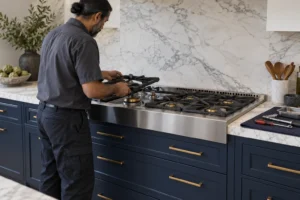
Cooktop and Rangetop Repair in San Francisco
Burners that click without lighting, induction zones that go dark, griddles that stay cold or a glass surface showing a code: we…

Specialized Thermador Appliance Repair in San Francisco
Mon–Sat: 8:00 AM – 7:00 PM
Gas, induction and rangetop models share a counter but not a diagnosis, so we begin with what the burner or zone is actually doing.
Thermador repair · San Francisco & the Bay Area
The cooktop is where most of the cooking happens, and it is also where small faults get noticed first. A burner that clicks, a zone that refuses to heat or a display that flashes a code all call for a different approach depending on whether the surface is gas or induction. This guide separates the two and lists the models we cover.
All seven are current, and all we say about them is their type:
A rangetop is the professional-style version of a gas surface, sitting on its own chassis with the control knobs at the front. Thermador gas surfaces are known for the Star burner and the ExtraLow simmer, which is worth mentioning because a simmer that will not hold is a common complaint.
On a cooktop or rangetop the label usually sits on the side of the chassis or underneath the unit, which can be hard to see once it is installed. Some are visible only from the cabinet below, and a few owners find a copy of the details in the installation papers. A photo of whichever you find is plenty.
Induction heats the pan directly, so cookware matters. If a zone does not respond, the first question is whether the pan is suitable and centered; Thermador induction not detecting pan covers the checks. Overheating protection can switch a zone off, and hot cookware near the control panel can trigger a warning. Heat also builds up if ventilation under the unit is blocked by a drawer or a shelf installed during a remodel.
Several meanings matter to owners:
The induction cooktop error codes article puts these in context.
A drop-in cooktop depends on its cutout, the clearance below and the hood above. In many Bay Area kitchens a cooktop sits over an oven or drawer, and trapped heat triggers protective shutdowns. Gas models need an accessible shutoff and a connector that has not been kinked behind the cabinet. For induction, a power supply that is loose or a breaker that has nearly tripped can produce odd codes.
If you smell gas, leave, avoid switches and call the gas utility or 911 from outside. If you smell burning or see a crack in the glass, switch off at the breaker.
See Thermador cooktop repair. A technician diagnoses first, writes the estimate and proceeds only on your approval.
A rangetop is the professional-style gas surface on its own chassis, and a cooktop is a drop-in surface that may be gas or induction.
Protective shutdowns can follow overheating or a zone running too long untouched. The code shown tells the technician which condition applies.
It means demo mode is active, and the cooking zones do not heat. Details are on the code page.
The pan must suit the zone and sit flat and centered. If a zone does not detect a pan, try another before assuming a fault.
It helps. Some cooktop codes concern the Wi-Fi connection or a connection to the hood, and we can look at those first.
Burners that click without lighting, induction zones that go dark, griddles that stay cold or a glass surface showing a code: we…
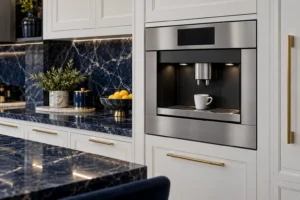
Built-in Thermador coffee machines in San Francisco kitchens: models TCM24PSN and TCM24TSN, water and milk system faults, code E0510 and safe daily-care…
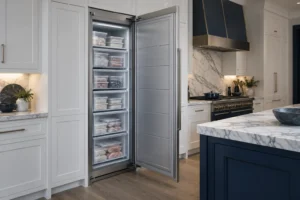
Thermador column freezers in Bay Area kitchens: the models we list, where the label hides, common frost and ice-maker complaints, and safe…
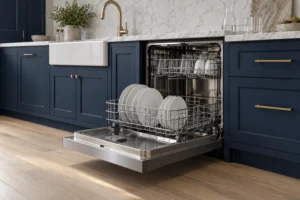
Thermador dishwashers for San Francisco homes: Sapphire and current models, leaks, drain and heat faults, the verified E-codes, safe checks and how…
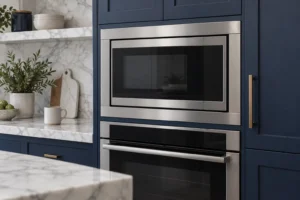
Built-in Thermador microwaves, microwave drawers and speed ovens in San Francisco kitchens: the models we list, common faults, the E11 keypad code…
Share a few details and we’ll confirm an appointment. Prefer to talk? Call us and we’ll help right away.