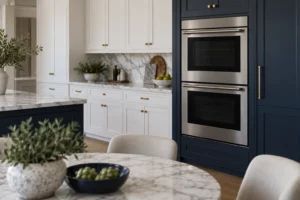
Wall Ovens
Single, double and triple Thermador wall ovens in San Francisco: models we list, label locations, door latch and sensor codes, and safe…

Specialized Thermador Appliance Repair in San Francisco
Mon–Sat: 8:00 AM – 7:00 PM
From a latch that will not release to a lower cavity that stays cold, we trace the fault inside the cutout and tell you what it takes.
Thermador repair · San Francisco & the Bay Area
A wall oven sits at eye level in the middle of the kitchen, flush with the cabinets around it, and when it misbehaves the whole household notices. Thermador wall ovens come as single, double, triple and combination units, and each one packs a control module, a user interface, several heating elements, a convection fan, a cooling fan and a motorized door latch into one tall cutout. We diagnose and repair them in San Francisco and across the Bay Area.
An oven that stays cold can have a failed bake or broil element, a relay on the control module, a temperature sensor reading wrongly or a safety circuit that is holding the heat off. If it heats but food cooks too fast or too slowly, the sensor, the convection fan or a drifting calibration is the usual suspect. Our posts on an oven that is not heating and an oven temperature that is off list what to look at first.
The latch motor and its switches decide whether the door can move. After a self-clean, the door can stay locked while the cavity cools, and a latch that never completes its travel will put a code on the display. A double or triple unit adds a second latch, so the cavity that fails matters. See oven door locked before you force anything.
The cooling fan keeps the electronics and the cabinet around the oven from overheating, and it may run for a while after cooking ends. A fan that never stops, or one that is loud, can mean a sensor, a board issue or a stuck fan; cooling fan keeps running explains the difference between normal and not normal.
A blank screen, keys that do not respond, a clock that resets and repeated beeping often come from the user interface, the control module or the link between them.
Thermador wall oven codes we have verified are listed below. Codes in the one-hundred series relate to the upper or only cavity, and the matching series starting with a two refer to the lower cavity on two-cavity models.
There are more entries for memory, key and probe faults; the whole set is gathered in Thermador oven error codes. Write down the exact code and which cavity it names before you power anything off.
The order is deliberate. First we confirm the supply and the breaker, then the display and any stored code. Next we compare what the oven is asked to do with what it actually does: does the element draw, does the fan spin, does the latch travel. Sensors are checked against their expected behavior, and connectors and harnesses near the heat are inspected for discoloration. The result is a written estimate, and no work begins without your approval.
Wall ovens are built into a cabinet tower, often with a microwave, speed oven or warming drawer stacked above or below. Heat from a neighbor can stress the electronics, and a cabinet with no clear airflow path can make a cooling fan code appear again and again. In older San Francisco flats the oven may share a circuit or sit on wiring that was never upgraded, so low voltage and nuisance trips show up as communication errors.
Double and triple units need extra care: two cavities share a control stack but have their own sensors, elements and latches, and a combination unit adds a microwave or steam function. Pulling a built-in oven out of its cutout can damage trim or the cabinet, so we plan access before moving it.
If your oven connects through Home Connect, a network or update error can be mistaken for a cooking fault. Cooking usually continues, and the error is tied to the connection, not the heating.
Never pull the oven from the cabinet, remove the back or side panels, or press on the latch with a tool.
If you smell gas near the oven, leave the home, avoid switches and call the gas utility or 911 from outside. A burning smell, sparks, smoke from the door seal or a door that is bowed or loose calls for the breaker to be turned off at once. A cooling fan that is noisy but steady can usually wait for a visit; an oven that stays at full heat cannot.
The same-looking oven can use different control modules, latches and elements, and a part for one version does not suit another. The label is usually on the oven frame, found when you open the door, or on the inside wall of the cavity. Our post on finding the model number shows where to look.
Models that come through this service include the single Thermador ME301WS repair and ME301YP, the double Thermador ME302WS repair, ME302YP and MED302LWS, and the triple Thermador MEDMCW31WS repair and PODMCW31W.
Codes such as E106 or E107 say the latch did not lock or did not unlock, and E126 says the latch state is undefined. The latch motor, its switch or the control module may be at fault, so a technician should look before the door is forced.
Yes, for a while. The fan clears heat from the electronics and cabinet. If it runs for a very long time, makes new noise or comes with a code such as E118, have it inspected.
On two-cavity models, codes in the two-hundred range refer to the lower cavity, while the one-hundred series refers to the upper. Note which cavity the code names when you contact us.
Not in most cases. Elements, sensors, latches and fans are usually reached with the oven in place. Some repairs need the unit eased out, and we would say so in the estimate.
It is better not to. Self-cleaning stresses the latch, sensors and electronics, and running it with an active fault can make the problem worse. Book a diagnosis first.
Single, double and triple Thermador wall ovens in San Francisco: models we list, label locations, door latch and sensor codes, and safe…
Built-in Thermador coffee machines that stop brewing, leak, froth poorly or flash a fault are diagnosed in your San Francisco kitchen, with…
Repair diagnosis for Thermador column freezers with frost buildup, soft food, ice maker trouble or odd noises in San Francisco and Bay…
Burners that click without lighting, induction zones that go dark, griddles that stay cold or a glass surface showing a code: we…
A Thermador dishwasher that leaks, will not drain, shows a fault code or leaves dishes wet is diagnosed in your San Francisco…
Share a few details and we’ll confirm an appointment. Prefer to talk? Call us and we’ll help right away.